
How to move Google Maps places to Naver Map
You planned in Google Maps. In Korea, Naver Map and KakaoMap do the directions. Maptinerary carries your places across and checks each one.
Last checked 6 November 2026. Apps change, so check the steps against your own phone.
Share places from Google Maps into Maptinerary, confirm each one, and open it in Naver Map when you tap Directions. Free on iPhone during launch, Android coming soon.
Download on the App Store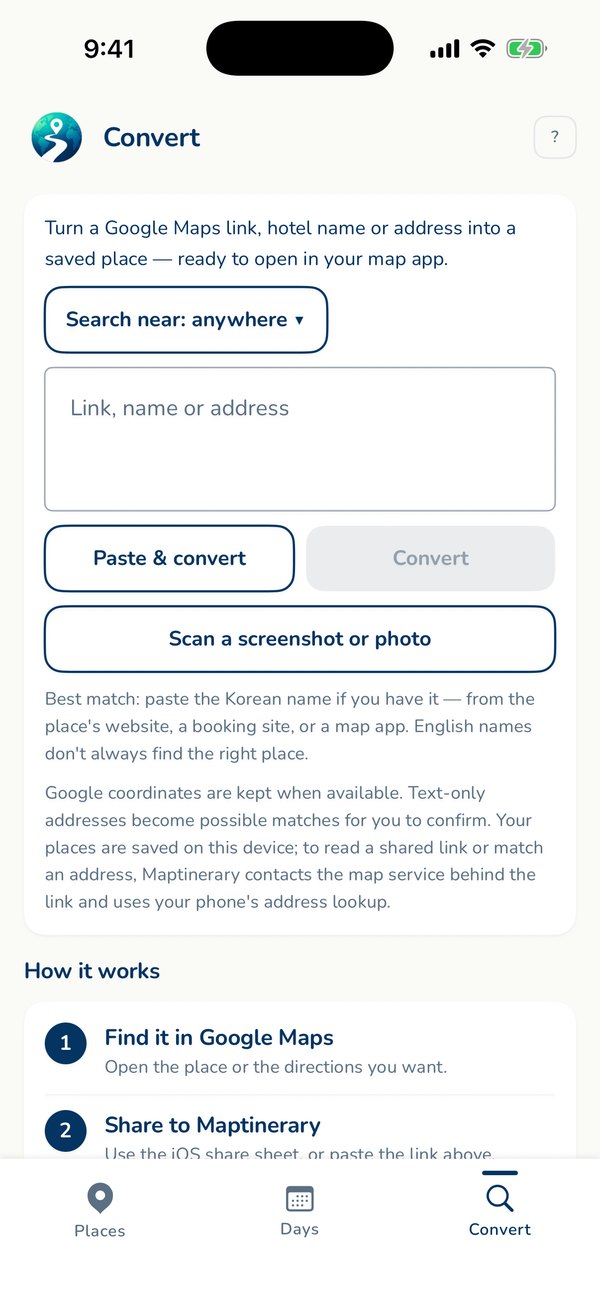
With Maptinerary
- In Google Maps, open a place, tap Share and choose Maptinerary. You can also paste a link into the Convert tab, or scan a screenshot.
- Confirm the place it found. Until you do it is marked unconfirmed, and you are warned if the city or name looks wrong.
- Maptinerary keeps the English and Korean names together.
- Tap Directions and it opens in the map you chose: Naver Map, KakaoMap or Google Maps. It searches the Korean name in the Korean apps.
What it does not do. Maptinerary does not create a list inside Naver Map. It keeps your places on your phone and opens each one in your map app when you tap Directions. It does not give directions itself, and it does not use your location.
Is there a way to import a Google Maps list into Naver?
We are not aware of a one-tap way to copy a Google Maps list into Naver Map, so check Naver's own help pages for anything new. By hand, it works like this:
- Get the Korean name. Copy the Korean name or address from Google Maps set to Korean, the place's own website or a booking confirmation.
- Search it in Naver Map. Paste the Korean name, or the address, not both. Add the district or city if there are several branches.
- Check the pin. Compare the pin, photo, address and city before you rely on it.
- Save it. Save it in Naver Map or note the confirmed name in your trip plan, then repeat for every place.
A 40-place trip means 40 searches and 40 checks, and that is where wrong places slip in. If Naver cannot find a place, try KakaoMap. Each app has places the other misses. For why this is needed, read Does Google Maps work in Korea?
Questions
Can I import my Google Maps list into Naver Map?
We are not aware of a one-tap way to copy a Google Maps list into Naver Map. Check Naver Map's own help pages for current features. The usual method is to search each place in Naver using its Korean name.
Why does Naver Map not find my place?
English spellings of Korean names are inconsistent. Search the Korean name and add the district or city. Maptinerary keeps both names for each place and searches the right one for you.
Does Maptinerary create a list inside Naver Map?
No. Maptinerary keeps your places on your phone and opens each one in Naver Map, KakaoMap or Google Maps when you tap Directions.