
Turn a ChatGPT Korea itinerary into stops you can open in Naver Map
ChatGPT can draft a Korea itinerary, but what you get is a list of names. Maptinerary checks each place on a map and opens it in Naver Map, KakaoMap or Google Maps.
Last checked 7 November 2026. Apps change, so check the steps against your own phone.
Paste it into Import a plan. Maptinerary finds each place on a map and asks you to confirm the ones it is not sure of. Free on iPhone during launch, Android coming soon.
Download on the App Store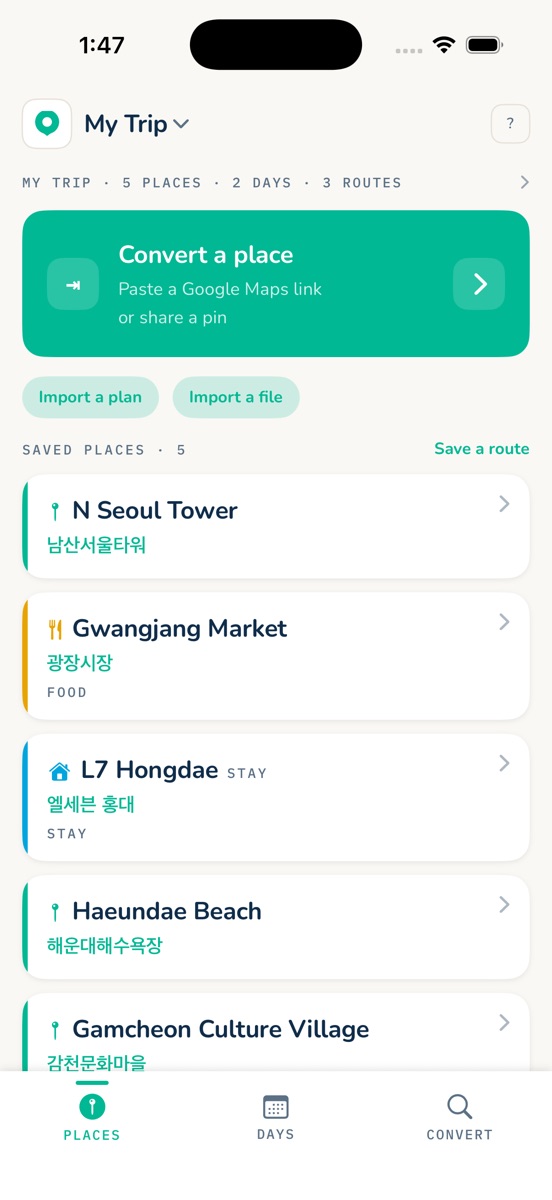
Why an AI itinerary needs checking
A written itinerary is only a list of names. AI can get names, addresses or opening details wrong, and one English name can match several places in Korea. Every stop needs checking before you travel.
Ask for the details that make mapping work
- The English name and the Korean name of each stop.
- The address and the city.
- The day each stop belongs to.
Bring it into Maptinerary
- Tap Import a plan and paste your itinerary.
- Maptinerary finds each place on a map and asks you to confirm the ones it is not sure of.
- Your places are grouped into days.
- Open each stop in Naver Map, KakaoMap or Google Maps.
What it does not do. Maptinerary does not write your trip. It checks the one you already have, keeps your places on your phone, and does not give directions itself.
New to maps in Korea? Read Does Google Maps work in Korea?
Questions
Can I use a ChatGPT itinerary in Naver Map?
Not directly. An itinerary is text, and Naver Map cannot read it. Each place has to be found in Naver or Kakao, ideally by its Korean name. Maptinerary does that matching and asks you to confirm each place.
Why are some places in my AI itinerary wrong?
AI can mix up or invent names, addresses and opening details. Ask for the English name, Korean name, address, city and day of each stop, then confirm each one on a map before you travel.
Do I need AI to use Maptinerary?
No. You can share places from map apps, scan screenshots or add places by hand. AI is only an optional shortcut for importing a whole itinerary.